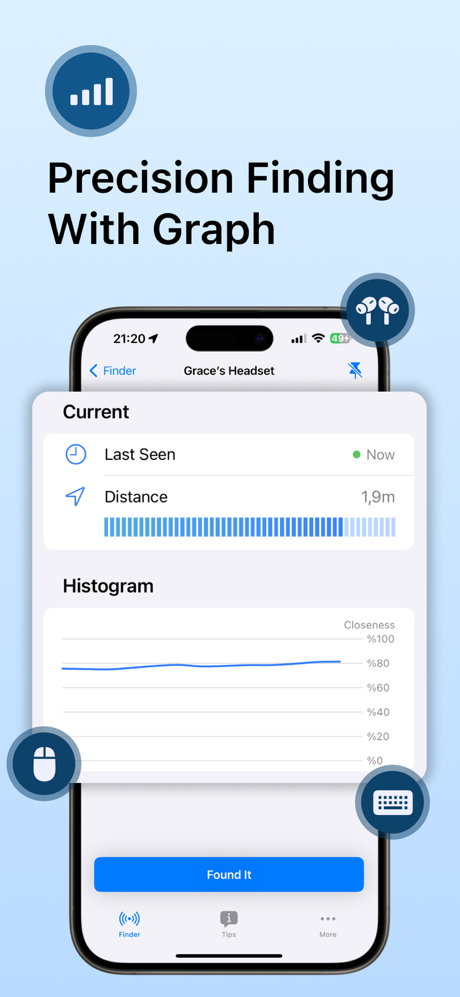
Lost your AirPods, headphones, smartwatch, or fitness tracker? BTFind is here to help you locate your lost devices easily. Whether it’s an AirPod, iPhone, iPad, or a Bluetooth speaker, BTFind can assist in tracking it down within moments.
# Key Features
- Device List: Instantly view all nearby devices on the list. Select the one you’re looking for and start tracking it with precision.
- Distance Score: Track the actual distance between you and your device. The lower the score, the closer you are!
- Pin Your Devices: Easily pin frequently used devices for quick access and tracking.
- Customizable Units: Choose your preferred unit of measurement to make tracking more intuitive.
# Compatible Devices
BTFind supports a wide range of Bluetooth-enabled devices, including:
- Apple Devices (AirPods, iPhone, iPad, Apple Watch)
- Bluetooth Earbuds, Earphones, and Headphones
- Fitness Trackers (e.g., Fitbit)
- Portable Speakers
- Smartwatches
- And many more!
# How It Works
1. Open BTFind: Start the app and view all nearby Bluetooth devices.
2. Select Your Device: Choose the device you want to locate from the list.
3. Track the Distance: Move around and observe the distance score. As it decreases, you’re getting closer!
4. Find Your Device: Your device should be within reach!
# Important Notes
- Powered Devices: Ensure your Bluetooth device is powered on and within range to be detected by BTFind.
- Battery Life: Locate your device as soon as possible before its battery runs out.
- Disclaimer: BTFind is not affiliated with any of the mentioned companies. AirPods is a trademark of Apple Inc., and Fitbit is a trademark of Fitbit, Inc.
# Subscriptions and Automatic Renewal
- Your subscription includes access to the features listed above.
- The payment will be charged to your Apple ID Account at confirmation of purchase.
- The subscription renews automatically unless the auto-renew is turned off at least 24 hours before the end of the current billing period.
- Your account will be charged for renewal within 24 hours before the end of your selected subscription.
- Your subscriptions can be managed, and auto-renewal can be turned off by going to your App Store Account Settings.
# Legal
- Terms of Service: https://cooptimizeit.com/terms-of-service
- Privacy Policy: https://cooptimizeit.com/privacy-policy
# Support
Need assistance? Reach out to us at [email protected]. We will get back to you within 48 hours.